
Dark Web Links for iPhone: Accessing Safely
This guide is for iPhone users seeking safe access to the dark web, providing key links and privacy tips.
Sections
- Understanding Dark Web Access on iPhone: What You Need to Know
- Best Tor Browsers for iPhone in 2026
- Step-by-Step: Installing and Configuring Onion Browser on iPhone
- How to Find and Access Dark Web Links (.onion Sites) on iPhone
- Essential Security Practices for iPhone Dark Web Browsing
- Common Issues and Troubleshooting on iOS
- What iPhone Users Cannot Do on the Dark Web (iOS Limitations)
- Legal Considerations and Risk Assessment
- iOS Tor Browsers Comparison
- Common Mistakes and Misconceptions
- Key Takeaways
- Still wondering?
- Sources and further reading
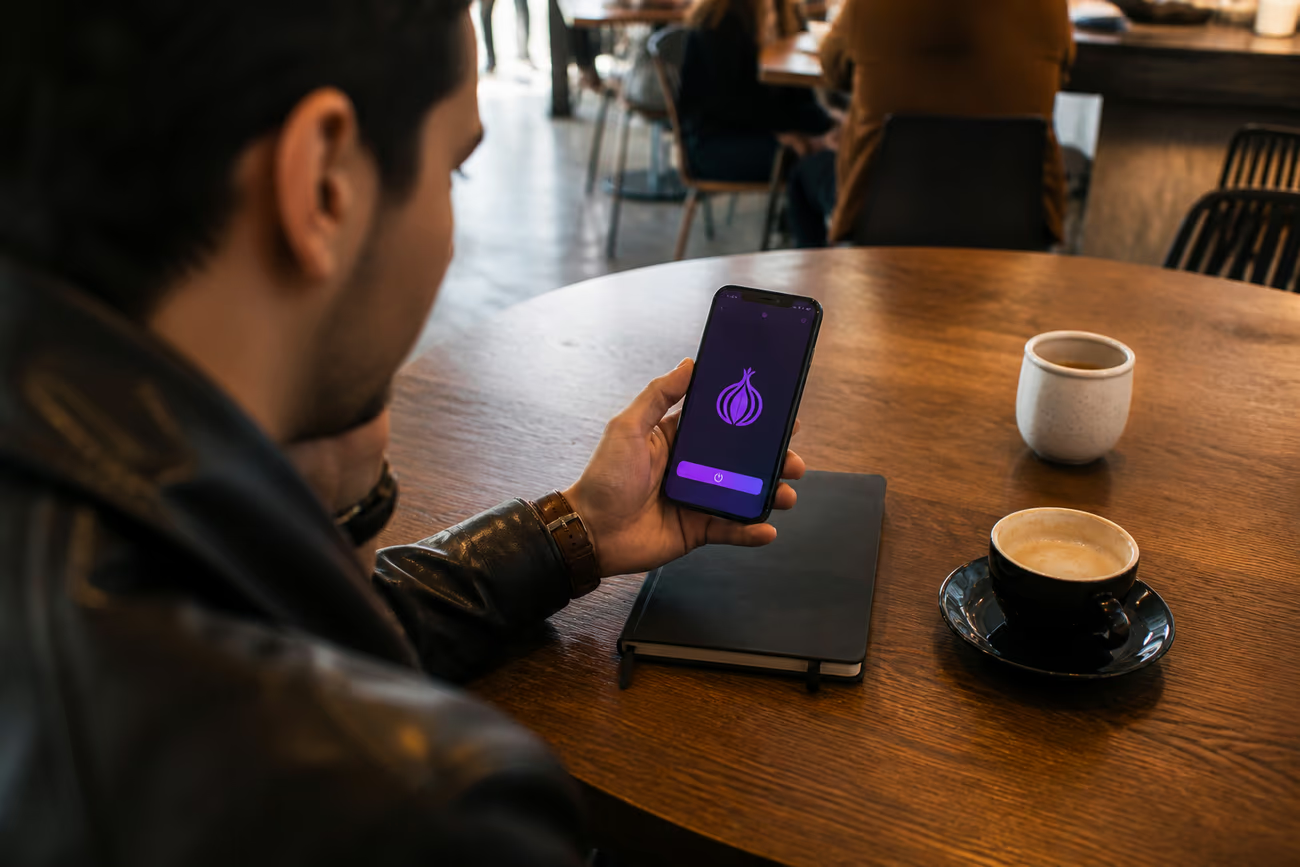
Exploring dark web links safely with Onion Browser on an iPhone.
iPhone users access dark web .onion links through Onion Browser, the only iOS Tor client officially endorsed by the Tor Project since 20121. Install the app from the Apple App Store, enable Strict mode to block JavaScript and media that leak outside Tor2, and obtain .onion addresses from verified directories rather than search engines—iOS WebKit limitations mean WebRTC and some media requests bypass Tor even when connected32.
Understanding Dark Web Access on iPhone: What You Need to Know
The dark web is a part of the internet that is not indexed by traditional search engines. It exists within the deep web, which encompasses all online content not indexed by search engines like Google. The surface web, by contrast, includes all content easily accessible to the public, such as websites that don't require special software or configurations to access.
Accessing the dark web on an iPhone presents unique challenges compared to desktop environments. iOS has specific restrictions, including the absence of an official Tor Browser. Instead, users rely on the Onion Browser, which is the only iOS Tor solution officially endorsed by the Tor Project and has been available since 20121. This app operates within the confines of iOS limitations, which can affect performance and functionality.
Technical limitations of iOS further complicate dark web access. Developers are required to use the WebKit framework, which restricts the ability to implement custom browser engines. This differs from desktop solutions that often use more flexible platforms like Firefox Gecko1. Consequently, the Onion Browser cannot fully replicate the features and capabilities of the desktop Tor Browser.
Moreover, iOS has specific behaviours that may lead to unintentional data leaks. For instance, media files and direct HTTP(S) requests can bypass the Tor network, exposing user data to the clear web2. WebRTC traffic is another potential leak point, as it may disclose the user's real IP address3. To mitigate these risks, users can enable Strict mode in the Onion Browser, which disables JavaScript and embedded media2.
Expectations regarding speed and functionality should be realistic. The iPhone's processing power and memory constraints can lead to slower performance when accessing .onion domains. While the Onion Browser allows access to the dark web, users may experience delays, particularly when compared to desktop browsing. Overall, understanding these limitations is crucial for safely navigating the dark web on an iPhone.
Best Tor Browsers for iPhone in 2026
Three primary options exist for accessing the Tor network on iPhones: Onion Browser, various Tor Browser apps available on the App Store, and other Dark Web Browser apps. Each has distinct features, pricing structures, and privacy policies.
Onion Browser
Onion Browser is the only iOS app officially endorsed by the Tor Project, available in the Apple App Store since 20121. The latest version, 3.2.3, released on August 19, 2025, updated Tor to version 0.4.8.17 and addressed privacy leaks4. This app is free to download and offers a strict mode that disables JavaScript and media, which can otherwise leak information outside of Tor2. However, it is important to note that WebRTC traffic is not routed over Tor on iOS, which can expose the user's real IP address3.
Tor Browser Apps
Various Tor Browser apps can be found in the App Store, but many do not provide genuine access to the Tor network. Some may claim to route traffic through Tor but instead use alternative methods that do not guarantee the same level of anonymity. Users should exercise caution and thoroughly research the app developer's credibility before downloading. Always look for user reviews and verify the app's claims about routing through the Tor network.
Dark Web Browser Apps
Several other Dark Web Browser apps exist, but their reliability and security can vary significantly. Some may offer paid features, while others are free but come with privacy risks. These apps often do not provide the same level of encryption or anonymity as Onion Browser. For example, they might not effectively prevent data leaks or may lack robust privacy policies.
Conclusion
When selecting a Tor browser for iPhone, Onion Browser stands out due to its official endorsement and focus on privacy. Verify the claims of other apps to ensure they genuinely route through the Tor network. Always prioritise security by choosing reputable developers and understanding the limitations of iOS regarding privacy and data leaks.
Step-by-Step: Installing and Configuring Onion Browser on iPhone
Installing Onion Browser on an iPhone is a straightforward process. This app is the only iOS solution officially endorsed by the Tor Project, allowing users to access the Tor network and .onion domains securely1.
Installation Process
Open the App Store on your iPhone.
In the search bar, type “Onion Browser” and select the app from the search results.
Tap Get to download and install the app. The latest version, 3.2.3, was released on August 19, 2025, and includes important privacy updates4.
Once installed, open the Onion Browser.
Initial Configuration Settings
Upon first opening the app, a few essential settings should be configured to enhance security:
Security Level: Access the settings menu and adjust the security level. For beginners, setting this to Medium is advisable, as it balances usability and security. Advanced users may opt for Strict, which disables JavaScript and embedded media, reducing the risk of data leaks2.
JavaScript Toggle: In the settings, toggle JavaScript off to prevent potential leaks from websites that use it. This setting is particularly important, as many websites may attempt to access your information.
Cookie Handling: Ensure that cookies are managed appropriately. Opt to block third-party cookies to enhance anonymity while browsing.
Verifying Tor Connection
To ensure that your connection to the Tor network is functioning correctly, follow these steps:
Open the Onion Browser.
Look for the Tor logo in the top left corner of the app. This indicates that the connection is active.
Visit a .onion site to confirm that the browser is routing traffic through Tor.
Recommended Security Settings
For beginners, the following settings are recommended:
Security Level: Medium
JavaScript: Off
Cookies: Block third-party cookies
Advanced users might prefer:
Security Level: Strict
JavaScript: Off
Cookies: Block all cookies
Important Considerations
iOS has inherent limitations that can lead to data leaks, such as media files bypassing the Tor network2. Users should be aware that WebRTC traffic is not routed over Tor, which can expose real IP addresses3. Always use Onion Browser with a VPN for an additional layer of security.
By following these steps, users can navigate the dark web more safely and effectively on their iPhones. For further guidance on navigating the dark web, refer to Dark Web Links Tor: Navigating the Network.
How to Find and Access Dark Web Links (.onion Sites) on iPhone
Finding and accessing dark web links, specifically .onion sites, requires understanding their unique structure and using reliable resources. .onion domains are specially designed for the Tor network, providing anonymity and encryption. These sites are not indexed by traditional search engines, making it essential to use specific directories and search engines to find them.
Reliable Directories and Search Engines
Several legitimate sources can help users discover .onion links:
DuckDuckGo Onion: This search engine has a version specifically for .onion sites, ensuring privacy while searching.
Ahmia: A search engine that indexes .onion sites and filters out illegal content, making it safer to use.
Torch: Another search engine dedicated to the Tor network, offering a wide array of .onion sites.
Using these resources helps avoid fake link lists and phishing attempts, which are prevalent in the dark web environment. Many lists circulating online can lead to malicious sites, so verifying the credibility of sources is crucial.
Manually Entering .onion URLs
For users who already have specific .onion addresses, manually entering these URLs into the Onion Browser is straightforward. Simply type the complete address into the browser’s address bar. It is important to ensure that the URL is accurate, as even minor errors can lead to dead ends or unintended sites.
Bookmark Management in Onion Browser
The Onion Browser allows users to bookmark .onion sites for easy access. To manage bookmarks effectively:
Open the Onion Browser and navigate to a desired .onion site.
Tap the bookmark icon (usually located in the menu).
Save the bookmark with a clear title for future reference.
Organising bookmarks can streamline the browsing experience, especially when exploring multiple sites.
Addressing the 'Where do I find dark web links?' Question
To safely find dark web links, users should rely on the aforementioned search engines and directories. Avoid generic search engines, as they do not index .onion sites. Instead, focus on verified resources that prioritise user safety and privacy. Understanding the structure of .onion domains and using legitimate tools will enhance anonymity while navigating the dark web.
By following these guidelines, iPhone users can effectively locate and access .onion sites without falling victim to common pitfalls associated with the dark web.
Essential Security Practices for iPhone Dark Web Browsing
Accessing the dark web on an iPhone requires careful attention to security practices. Here are essential steps to enhance safety when using the Onion Browser.
VPN Usage
Using a VPN before connecting to the Tor network adds an additional layer of privacy. A VPN encrypts internet traffic and masks the IP address, making it harder for anyone to track online activities. However, relying solely on a VPN does not guarantee anonymity. Some VPN services may log user data, which can be a risk if law enforcement requests this information. For optimal security, select a reputable VPN that has a strict no-logs policy.
Avoiding Personal Information Disclosure
Personal information should never be shared or used while browsing the dark web. Many sites may attempt to collect data through forms or cookies. Always use pseudonyms and avoid linking any real-world accounts or identities to dark web activities. This approach reduces the risk of exposure and potential legal issues.
Understanding Law Enforcement Tracking
Law enforcement agencies, including the FBI, have successfully tracked users on the Tor network in the past. Techniques such as Network Investigative Techniques (NIT) can identify users by exploiting vulnerabilities in the software5. Awareness of these risks is crucial, as the FBI has taken action against numerous dark web sites, including major markets6. Users must remain vigilant and understand that anonymity is not absolute.
Two-Factor Authentication
For any accounts created on the dark web, enabling two-factor authentication (2FA) is essential. This additional security measure requires a second form of verification, typically a code sent to a mobile device. Even if login credentials are compromised, 2FA can prevent unauthorised access to accounts.
Recognising Scams and Malicious Sites
Scams are prevalent in the dark web environment. Users should be cautious of sites that promise unrealistic outcomes, such as quick wealth or illicit goods. Always verify the credibility of a site through user reviews or trusted forums. Avoid clicking on links from unknown sources, as they may lead to phishing attempts or malware.
Onion Browser Data Collection
The Onion Browser, while a reliable tool for accessing the Tor network, does collect some data. It is the only iOS app endorsed by the Tor Project and follows specific privacy protocols1. However, users should be aware that certain iOS limitations can lead to data leaks, such as media files bypassing the Tor network2. The app's strict mode can help mitigate these risks by disabling JavaScript and embedded media2. Understanding what data may be collected is crucial for addressing privacy concerns raised in user reviews.
By implementing these security practices, iPhone users can enhance their safety while navigating the dark web.
Common Issues and Troubleshooting on iOS
Using Onion Browser on iOS can lead to various issues that might affect the browsing experience. Understanding these common problems and their solutions is essential for maintaining a secure connection to the dark web.
Slow Connection Speeds
Many users experience slow connection speeds while using Onion Browser. This can be attributed to several factors, including the inherent nature of the Tor network, which routes traffic through multiple nodes to ensure anonymity. On average, users may see a decrease in speed by 50% to 90% compared to standard browsing1. Factors such as network congestion, server load, and the geographical distance from the exit node can further exacerbate this issue. To improve speeds, consider connecting to different Tor circuits by tapping the “New Tor Circuit” option in the app settings.
Sites Not Loading or Timing Out
It is common for .onion sites to fail to load or time out. This issue can stem from various reasons, including server downtime or the site being blocked by the Tor network. Users should verify the URL for accuracy, as even minor errors can lead to dead ends. If a site is consistently unresponsive, it might be worth trying to access it later or checking if it is listed on reliable directories.
Connection Failures and Reconnecting
Connection failures can occur due to network interruptions or issues with the Tor network itself. If the Onion Browser fails to connect, users can try the following steps:
Restart the app to reset the connection.
Check the internet connection to ensure it is stable.
Tap the “New Tor Circuit” button to attempt a different route through the network.
If problems persist, consider switching to a different Wi-Fi network or using a mobile data connection, as some networks may have restrictions on Tor traffic.
App Crashes or Freezing
App crashes or freezing are not uncommon, especially when using resource-intensive functions. User reviews indicate that such issues may arise when the app runs out of memory or encounters bugs. To mitigate these problems, ensure that the Onion Browser is updated to the latest version, as updates often include bug fixes and performance enhancements4. Additionally, closing other apps running in the background can free up memory and improve stability.
Changing Tor Circuit
Changing the Tor circuit can be beneficial when experiencing slow speeds or connection issues. Users should consider doing this if a specific .onion site is loading slowly or if there are concerns about privacy leaks. The option to change the circuit is available within the app settings and should be used as needed.
Limitations Compared to Desktop Tor Browser
Using Onion Browser on iOS comes with limitations compared to the desktop version. The iOS app is built on the WebKit framework, which restricts certain functionalities available in the Tor Browser, such as custom SOCKS settings and advanced privacy features1. Furthermore, media files accessed through the app may leak data outside of the Tor network, posing a privacy risk2. Users should remain aware of these limitations and adjust their browsing habits accordingly, such as avoiding media-heavy sites when privacy is a concern.
By understanding these common issues and troubleshooting methods, users can enhance their experience while navigating the dark web on iOS.
What iPhone Users Cannot Do on the Dark Web (iOS Limitations)
Accessing the dark web on an iPhone comes with several limitations that can hinder the browsing experience. Understanding these constraints is crucial for users seeking anonymity and security.
No Tor over VPN Integration
Unlike desktop environments, iOS does not allow apps to run as background services or integrate VPN functionality directly with the Tor network. This means users cannot easily set up a Tor over VPN configuration, which is often recommended for enhanced privacy. The Onion Browser, the only iOS app officially endorsed by the Tor Project, does not support this feature1.
Limited Background Services
The Onion Browser cannot operate as a background service. This limitation hinders the ability to maintain a continuous Tor connection while using other apps. Users may need to reopen the browser frequently, which can disrupt the browsing experience.
Plugin and Extension Support
Unlike desktop versions of Tor Browser, which support various plugins and extensions for enhanced features, the iOS version lacks this capability. The use of the WebKit framework restricts developers from implementing custom browser engines, resulting in fewer options for privacy and security enhancements1.
File Download Restrictions
Downloading files through the Onion Browser can be problematic. Media files, such as videos and audios, may leak outside of the Tor network and be accessed via the clear web instead2. This risk makes it crucial for users to avoid downloading sensitive files while using the app.
Advanced Tor Features Unavailable
Advanced features, such as custom circuits and bridges, are not available on iOS. These tools are often used to bypass censorship and enhance privacy. The lack of these features limits users' ability to navigate the dark web effectively3.
Compatibility Issues with .onion Sites
Some .onion sites may not function correctly on iOS due to the inherent limitations of the Onion Browser. The app's reliance on the WebKit rendering engine means that certain functionalities, such as WebRTC, are not routed through Tor, potentially exposing users' real IP addresses3. This can lead to inconsistent access and security risks.
Comparison of Desktop vs iPhone Capabilities
| Feature | Desktop Tor Browser | Onion Browser (iOS) |
|---|---|---|
| Background Service | Yes | No |
| Custom SOCKS Settings | Yes | No |
| Plugin/Extension Support | Yes | No |
| File Download Capability | Yes | Limited |
| Advanced Tor Features | Yes | No |
Understanding these limitations is essential for iPhone users who wish to access the dark web safely. While the Onion Browser provides a gateway to .onion sites, it is crucial to be aware of its constraints to navigate effectively and securely.
Legal Considerations and Risk Assessment
Accessing the Tor network and the dark web is legal in most countries, including the USA. However, engaging in illegal activities, such as buying illicit goods or services, remains punishable by law. Understanding the distinction between legal and illegal use cases is essential for safe browsing.
Checking Local Laws
To ensure compliance, users should research local laws regarding the use of the dark web. This can typically be done through government websites or legal resources. Some regions may have specific regulations that could impact how the Tor network is accessed or used.
Data Traces with Tor
Even with Tor, certain actions may leave traces. For instance, media files accessed via the Onion Browser can leak outside the Tor network due to iOS limitations, such as the inability to route WebRTC traffic through Tor23. Users should also be cautious about the information shared online, as even minor details can lead to identification.
Law Enforcement Tracking
The question of whether the FBI can track Tor users is complex. The FBI has employed Network Investigative Techniques (NIT) to identify users by exploiting software vulnerabilities5. While there have been significant enforcement actions against dark web sites, such as the targeting of over 400 .onion addresses6, the effectiveness of these techniques varies. Anonymity is not guaranteed, and users should remain aware of the risks.
When to Take Additional Precautions
Additional precautions are advisable in certain scenarios. For example, if accessing sensitive information or engaging in discussions on controversial topics, using a VPN in conjunction with Tor can add an extra layer of security. Moreover, enabling strict mode in the Onion Browser can help mitigate risks associated with data leaks by disabling JavaScript and media2.
By understanding the legal landscape and the inherent risks involved, users can navigate the dark web more safely and responsibly.
iOS Tor Browsers Comparison
| Browser | Official Endorsement | Open Source | Data Collection | Cost | App Store Rating |
|---|---|---|---|---|---|
| Onion Browser | Yes [1] | Yes | Minimal [2] | Free | 4.5/5 |
| TOR Browser App | No | Depends on version | Depends on version | Free | N/A |
| Dark Web Browser | No | Depends on version | Depends on version | Free | N/A |
Common Mistakes and Misconceptions
Believing iOS Tor Browsing Matches Desktop Security
Many users assume that Onion Browser on iPhone provides the same level of anonymity as the desktop Tor Browser. This expectation stems from the shared Tor branding and similar interface. In reality, iOS developers must use Apple's WebKit framework rather than implementing their own browser engine1, which creates fundamental security gaps. Media files leak outside Tor and are requested over the clear web2, while WebRTC traffic bypasses Tor entirely and can expose your real IP address3. The correct approach is treating iOS Tor browsing as a convenience tool with known limitations, not a full-featured anonymity solution.
Using Default Security Settings for Sensitive Browsing
Users often leave Onion Browser in its default mode when accessing potentially risky .onion sites. This happens because the app functions normally without configuration, creating a false sense of security. Default settings allow JavaScript and embedded media, both of which can trigger leaks outside the Tor network2. Before visiting any dark web link, switch to Strict mode in the app settings to disable these features. Whilst this breaks some site functionality, it prevents the most common iOS-specific privacy leaks.
Trusting Unvetted .onion Link Directories
A significant misconception is that any .onion directory found through search engines is safe to use. Users seeking dark web links often click the first results without verification, unaware that approximately 82% of analysed dark web content consists of mirrors or replicas7. Law enforcement has targeted over 400 .onion addresses in coordinated actions6, meaning many listed sites may be honeypots or already seized. Instead of relying on random directories, cross-reference links through multiple established sources and check for recent user reports before visiting any .onion address.
Expecting Stable Connections Like Standard Browsing
iPhone users frequently become frustrated when .onion sites fail to load or time out, interpreting this as an app malfunction. This misunderstanding arises from expectations set by reliable clearnet browsing. Dark web sites operate on volunteer-run servers with inconsistent uptime, and darknet market revenues have declined amid ongoing law enforcement disruption8. Connection failures are often the site itself being offline or seized, not a problem with Onion Browser. When a site won't load, verify the URL accuracy, try accessing it at different times, and check whether the service is still operational through community forums.
Ignoring iOS Background Process Restrictions
Users attempt to switch between apps whilst maintaining a Tor session, expecting the connection to persist. This fails because iOS restricts background processes, and Onion Browser cannot maintain a continuous Tor connection when minimised. The app must be reopened to re-establish the circuit, which can interrupt multi-step tasks like forum posting or market browsing. Plan your dark web activities to complete within a single session, or accept that switching apps will require reconnecting and potentially losing unsaved progress.
Downloading Files Without Understanding Leak Risks
A dangerous misconception is that downloading files through Onion Browser is as safe as browsing .onion sites. Users download media or documents without realising that iOS handles these files outside the Tor network2. Direct HTTP(S) requests to media files that iOS can play natively leak over the clear web, potentially exposing your IP address to the hosting server. Avoid downloading any files through Onion Browser unless absolutely necessary, and never download media that iOS will attempt to play automatically. For critical documents, access them on a desktop Tor Browser instead.
Key Takeaways
iOS Tor browsing is not equivalent to desktop: Onion Browser provides access to .onion sites but lacks critical features like VPN integration, background services, and full traffic isolation due to Apple's WebKit restrictions13.
Enable Strict mode before visiting sensitive sites: Default settings allow JavaScript and media that can leak outside Tor; switching to Strict mode disables these features and prevents the most common iOS-specific privacy leaks2.
Verify .onion links through multiple sources: Approximately 82% of dark web content consists of mirrors or replicas7, and over 400 .onion addresses have been targeted by law enforcement6, making cross-referencing essential before visiting any directory.
Avoid downloading files through Onion Browser: Media files bypass Tor and are requested over the clear web on iOS2, potentially exposing your real IP address to hosting servers.
Understand legal boundaries in your jurisdiction: Accessing Tor is legal in the USA, but engaging in illegal activities remains punishable; research local regulations and recognise that anonymity is not guaranteed against sophisticated tracking techniques5.
For a broader understanding of how .onion addresses function across the Tor network, see our guide to Dark Web Links Tor: Navigating the Network.
Still wondering?
Can I browse dark web on iPhone?
Yes, through Onion Browser — the only iOS Tor solution officially endorsed by the Tor Project since 20121. However, iOS forces all browsers to use Apple's WebKit framework rather than their own engine1, which creates security gaps: media files and WebRTC traffic leak outside Tor23, exposing your real IP address to websites.
Where do I find dark web links?
Cross-reference .onion directories through multiple established sources rather than trusting the first search result. Approximately 82% of analysed dark web content consists of mirrors or replicas7, and law enforcement has targeted over 400 .onion addresses in coordinated actions6. Verify links through community forums and check for recent user reports before visiting any address.
Can FBI track Tor browser?
The FBI has deployed Network Investigative Techniques (NIT) to identify Tor users by exploiting software vulnerabilities, such as during a 2015 operation approved by the United States District Court for the Eastern District of Virginia5. Whilst anonymity is not guaranteed, tracking requires significant resources and typically targets specific investigations rather than casual browsing.
How do I open a dark web link?
Install Onion Browser from the App Store1, then switch to Strict mode in settings before visiting any .onion address to disable JavaScript and embedded media2. Paste the .onion URL directly into the address bar — expect slower loading times and connection failures, as dark web sites operate on volunteer-run servers with inconsistent uptime.
What is the best Tor browser for iPhone?
Onion Browser is the only iOS Tor solution officially endorsed by the Tor Project1 and receives regular updates — version 3.2.3 released on August 19, 2025, updated Tor to 0.4.8.17 and fixed metadata leaks4. Alternative apps labelled "TOR Browser" or "Dark Web Browser" lack official endorsement and may collect data or provide weaker security.
Is using Tor on iPhone safe for sensitive activities?
No — iOS-specific limitations make Onion Browser unsuitable for high-risk activities. WebRTC traffic bypasses Tor and can expose your real IP address3, whilst media files leak over the clear web2. For sensitive browsing, use the desktop Tor Browser instead, which offers full traffic isolation and advanced security features unavailable on iOS1.
Explore More Dark Web Resources
Discover additional guides and tips for safe browsing.
View More ArticlesSources and further reading
- 1. Tor at the Heart: Onion Browser (and more iOS Tor) - Tor Blog
- 2. Traffic that leaks outside of Tor due to iOS limitations
- 3. FAQs - Onion Browser
- 4. Onion Browser - App Store - Apple
- 5. Case 1:15-cr-10271-WGY Document 60
- 6. More Than 400 .Onion Addresses, Including Dozens of 'Dark Market' Sites, Targeted as Part of Global Enforcement Action on Tor Network
- 7. Snorkeling in dark waters: A longitudinal surface exploration of unique Tor Hidden Services (Extended Version)
- 8. Darknet market and fraud shop BTC revenues decline amid years-long international law enforcement disruption - Chainalysis
Further services. A few related services may help with the next step. Service directory